PairReview

Your AI Pair Reviewer

It reads every pull request and drafts line-by-line comments. You decide what gets posted.

Your Stash PRs are read by the LLM you choose; it drafts comments, you edit and post. Nothing is written to Stash without your approval.

Paste into Terminal; it opens in your browser 30 seconds later
curl -fsSL https://pairreview.dev/install.sh | bash

No admin password, nothing leaves your computer. Installs Node.js into your home folder if missing.

PairReview
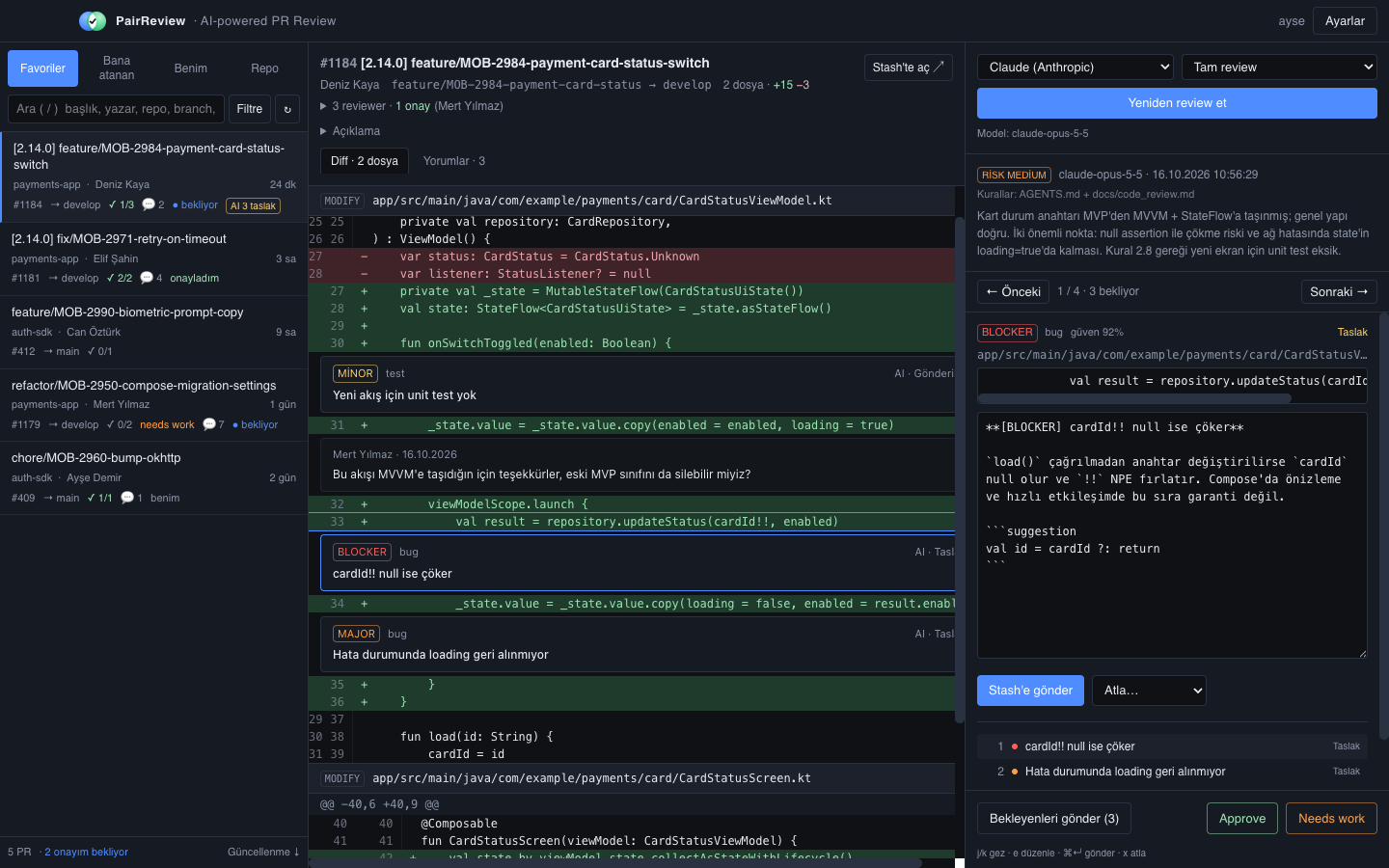
PairReview review screen

PR list on the left, diff with line-anchored comments in the middle, the AI draft you edit and post on the right.

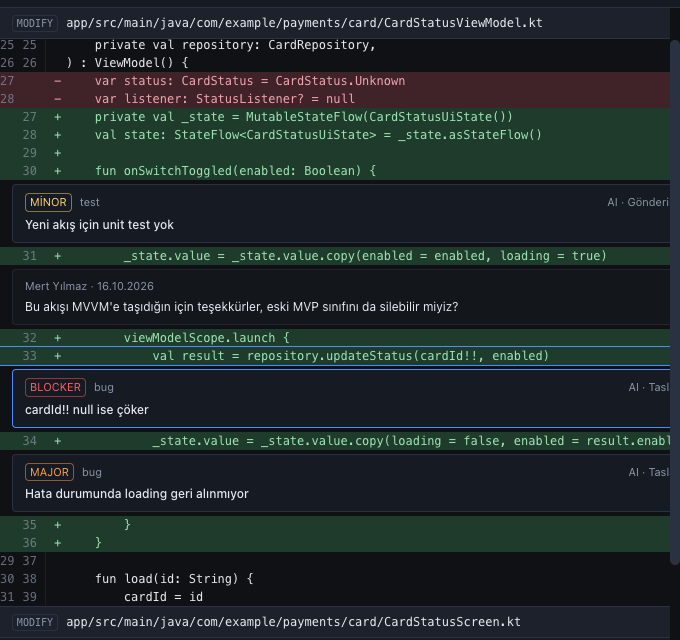
Comments sit on the exact line

  • Every finding is anchored to the right file and line, with blocker, major, minor labels and a confidence score.
  • Your teammates' existing comments show up inside the same diff.
  • Click one and the right panel jumps to it; navigate with j k.
Line-anchored AI comments inside the diff

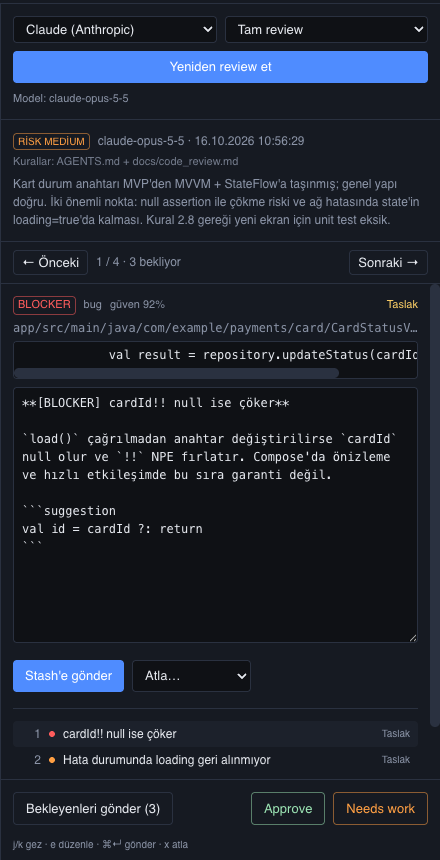
You read first, then it goes out

  • An AI comment is a draft: edit the text, change the suggestion or dismiss it with a reason.
  • Post one comment with ⌘↵, the rest with "Post pending".
  • Approve and Needs work live in the same panel; the review ends without switching to Stash.
Editable AI comment draft with post buttons

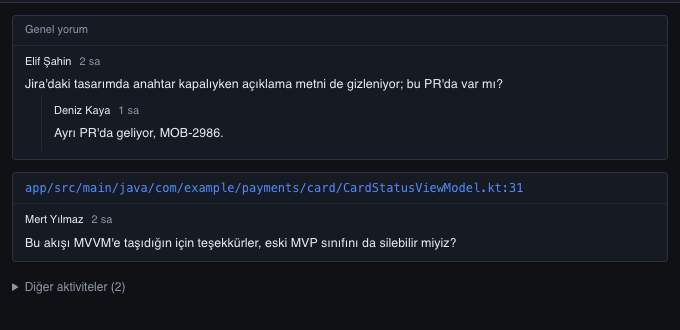
The team's conversation on the same screen

  • Human comments, replies and resolved marks in the "Comments" tab.
  • A line link takes you to the spot in the diff; who approved when is listed below.
  • The repo's AGENTS.md and docs/code_review.md are read on every review; the panel shows which ones were used.
Comments tab: human comments and replies

With your team's rules

The repo's AGENTS.md and docs/code_review.md are read on every review. Rule violations are reported by number; when the rules change, the review changes.

Your choice of provider

Claude, OpenAI or Gemini, with your own key. Three review profiles: quick health check, security focused, full review.

Never miss a new PR

Get notified when a PR opens in a favourite repo; click and it is in front of you. Working hours and interval are configurable.

How it works

  1. Install. The command above installs PairReview under ~/.pairreview and starts it at http://localhost:4178. On later days just type pairreview; it updates itself on start.
  2. Sign in. Your Stash username and password, a personal access token or an SSO cookie. Credentials are only used against Stash.
  3. Pick a PR. Assigned to you, your own, or favourite repos. Diff and existing comments on one screen.
  4. Run the review. Pick a profile; comment drafts arrive in a minute or two. Navigate with j/k, edit with e, post with ⌘↵.
  5. Approve. Approve or Needs work; post the remaining drafts in one click or dismiss them with a reason.

FAQ

Why does it run on my computer?
Your Stash credentials and code diffs never leave your machine; only the review request goes to the LLM you chose. The server listens on 127.0.0.1 only; nobody else on the network can reach it.
I can't install apps on my company laptop. Does this work?
Yes. The installer needs no admin rights and never touches /Applications; everything stays in your home folder. If Node.js is missing it goes there too.
How do I update or uninstall?
Every start checks for a new version; pairreview update does it on demand. To remove: pairreview uninstall.
Do notifications work?
While the tab is open, new PRs in favourite repos arrive as browser notifications. Pick hours and interval in Settings; "Send test notification" checks the permission.
When do I need the desktop app?
For people who prefer not to use the terminal there is a signed, notarized DMG. Same features, same data; only the install differs.

Security